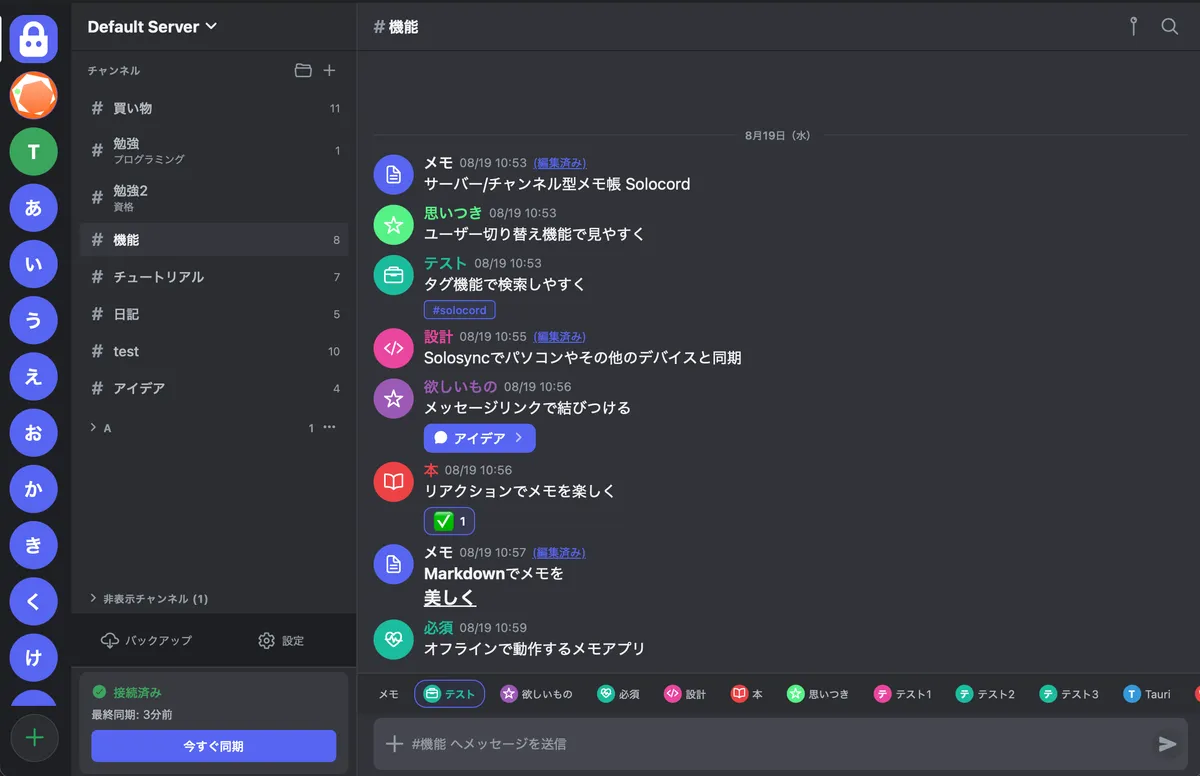
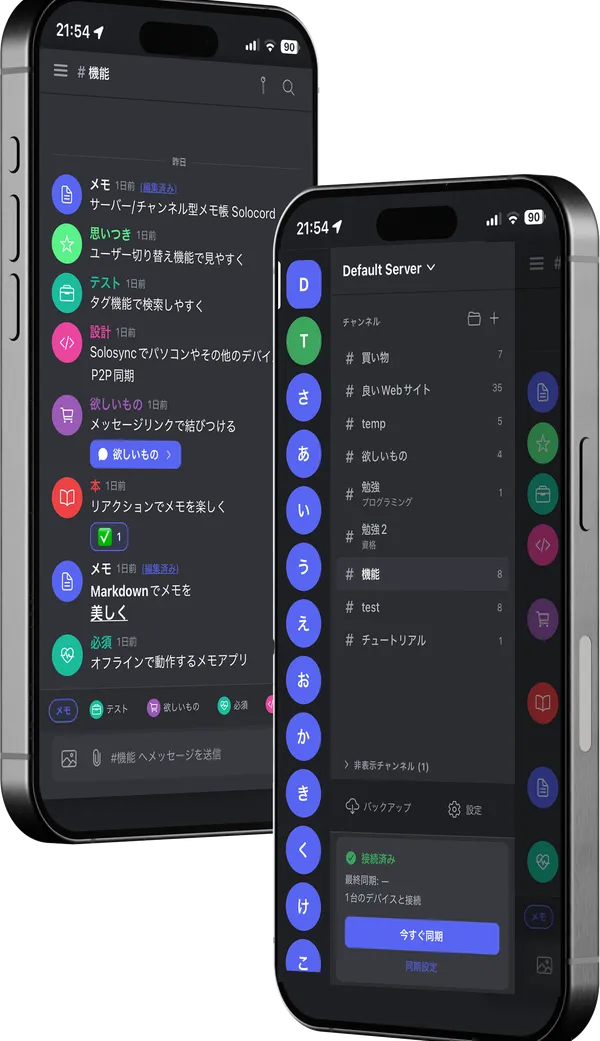
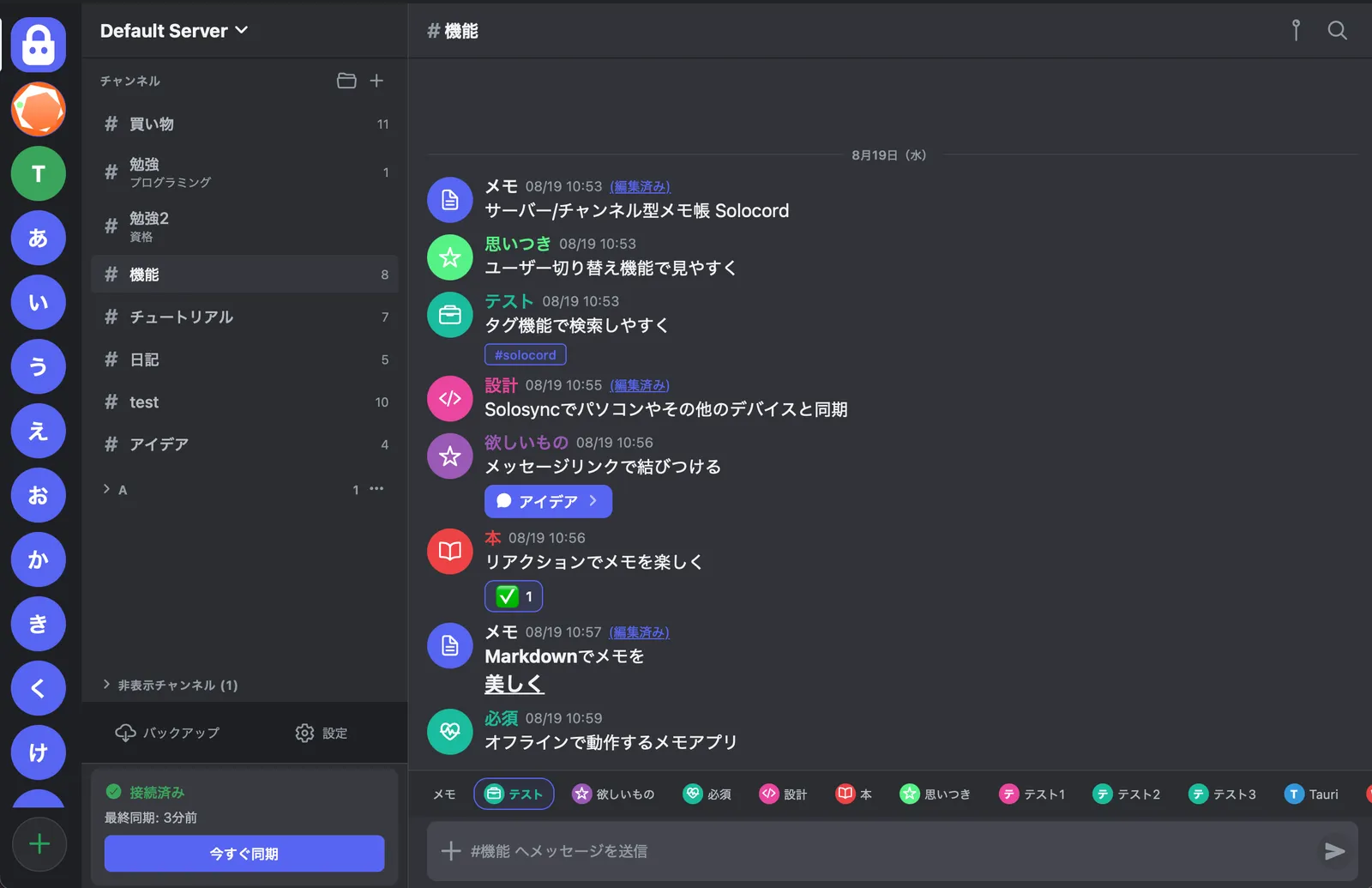
Solocord is a notes app for organizing notes and ideas in a Discord-style chat UI. A passing thought or a half-formed idea: keep it close, with the ease of sending a message.
Solocord aims to be a notes app that is both simple and versatile.
Compare note-taking styles
Type
Solocord
Simple notesExamples: Apple Notes
Google Keep
Simplenote
WorkspacesExamples: Notion
Coda
OneNote
Second brainExamples: Obsidian
Cosense
WhiteboardsExamples: Heptabase
Scrintal
Handwriting & voiceExamples: Goodnotes
Nebo
Chat appsExamples: LINE Keep Memo
Discord
Chat-inspired notesExamples: Social-feed-style notes apps and others
Search & retrieval
Organizing notes
Mobile experience
Desktop experience
Easy to learn
Offline use
Taking data with you
A strengthNeeds more careScroll sideways to compare
Existing note apps can be so simple that organization gets difficult, while feature-heavy apps can make writing a quick note feel like work. Put positively, each kind of notes app has its own strengths.
Solocord brings those strengths together. It is a feature-rich notes app that still stays simple enough to use without friction.
It's time to ditch DISCOmmunication!
Here are the features that make sense precisely because Solocord is a notes app, rather than a chat app.
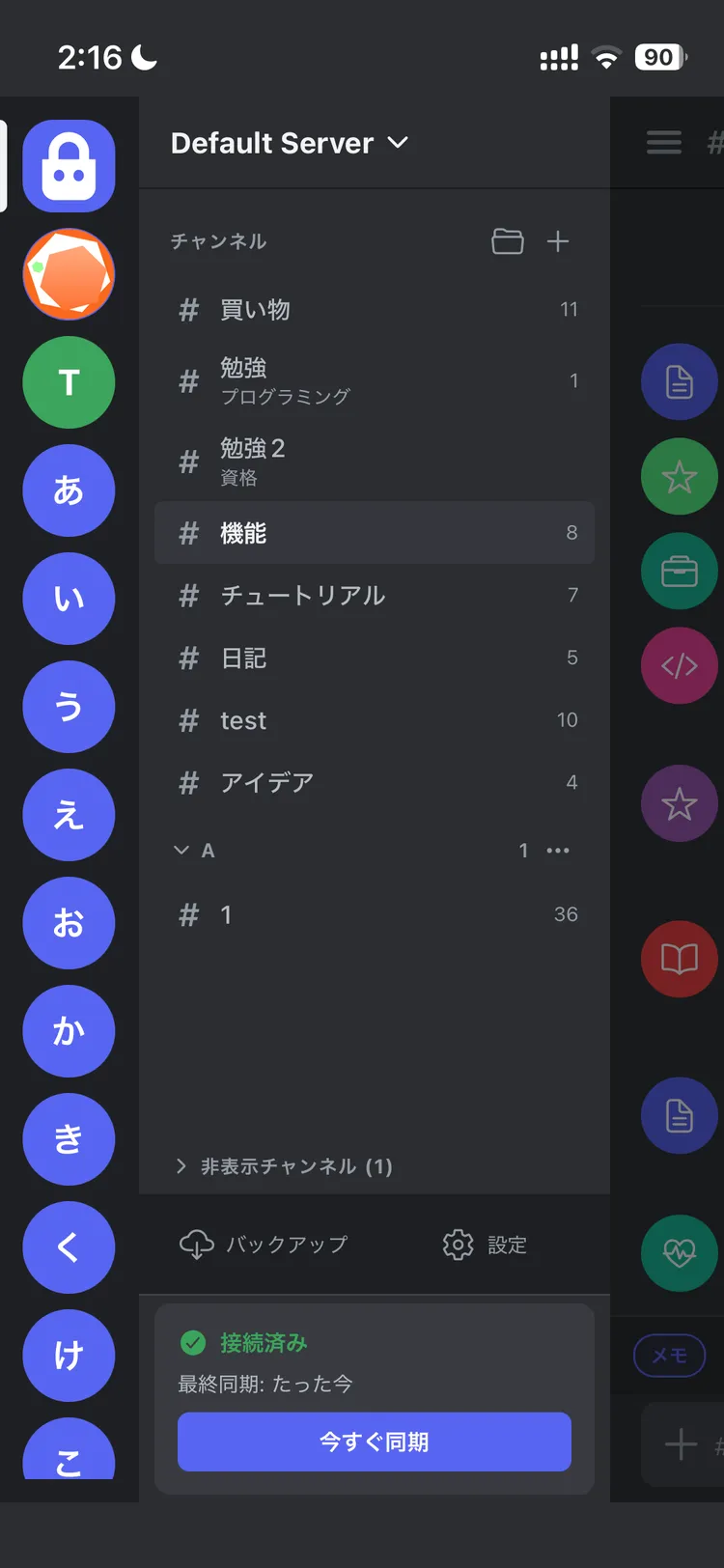
Organize in two layers: servers and channels. Separate work, ideas, a journal, or anything else.
✓Keep work and personal notes in separate servers
✓Add channel descriptions to remember their purpose
✓Hide channels you no longer use to keep things tidy
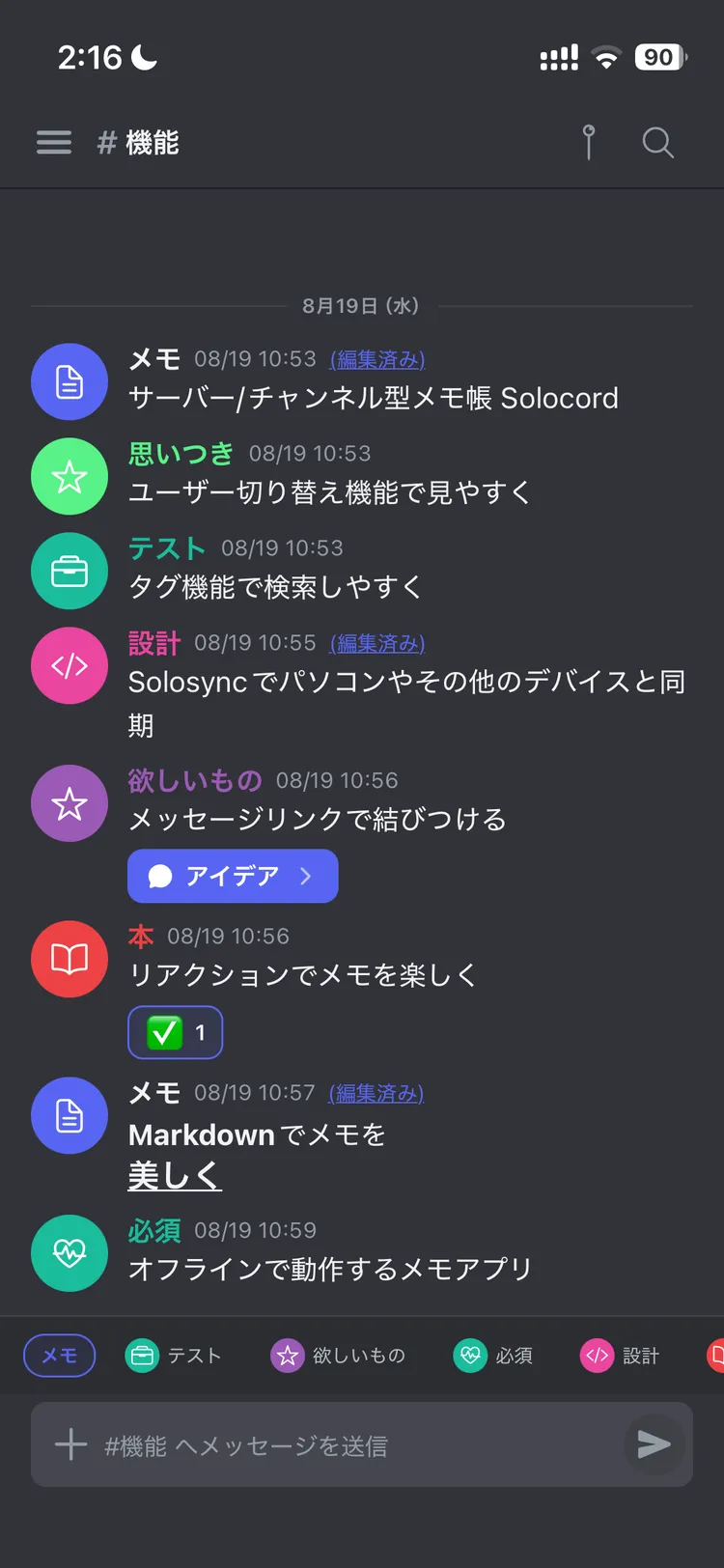
Switch “users”.
Recognize your notes at a glance.
Shopping, books, medicine, travel, what is in the fridge… Create a “user” with its own icon and color for each kind of note. Switch with a tap before sending, and your timeline becomes color-coded.
✓Choose your own icons and colors
✓Switch with a tap on the chips above the input
✓See whose—or what kind of—note it is, even in the same channel
Find it with tags,
full-text search, and pins
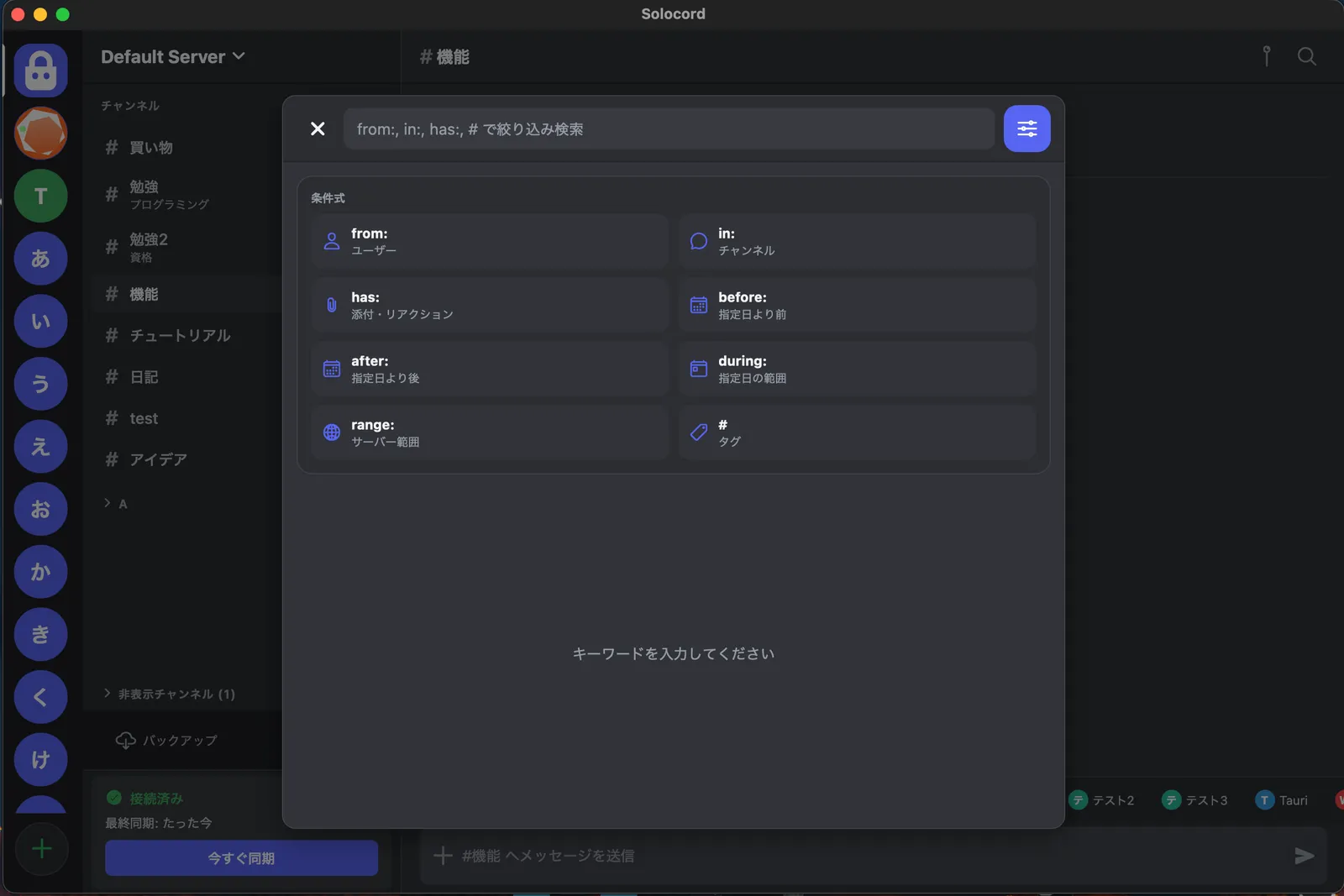
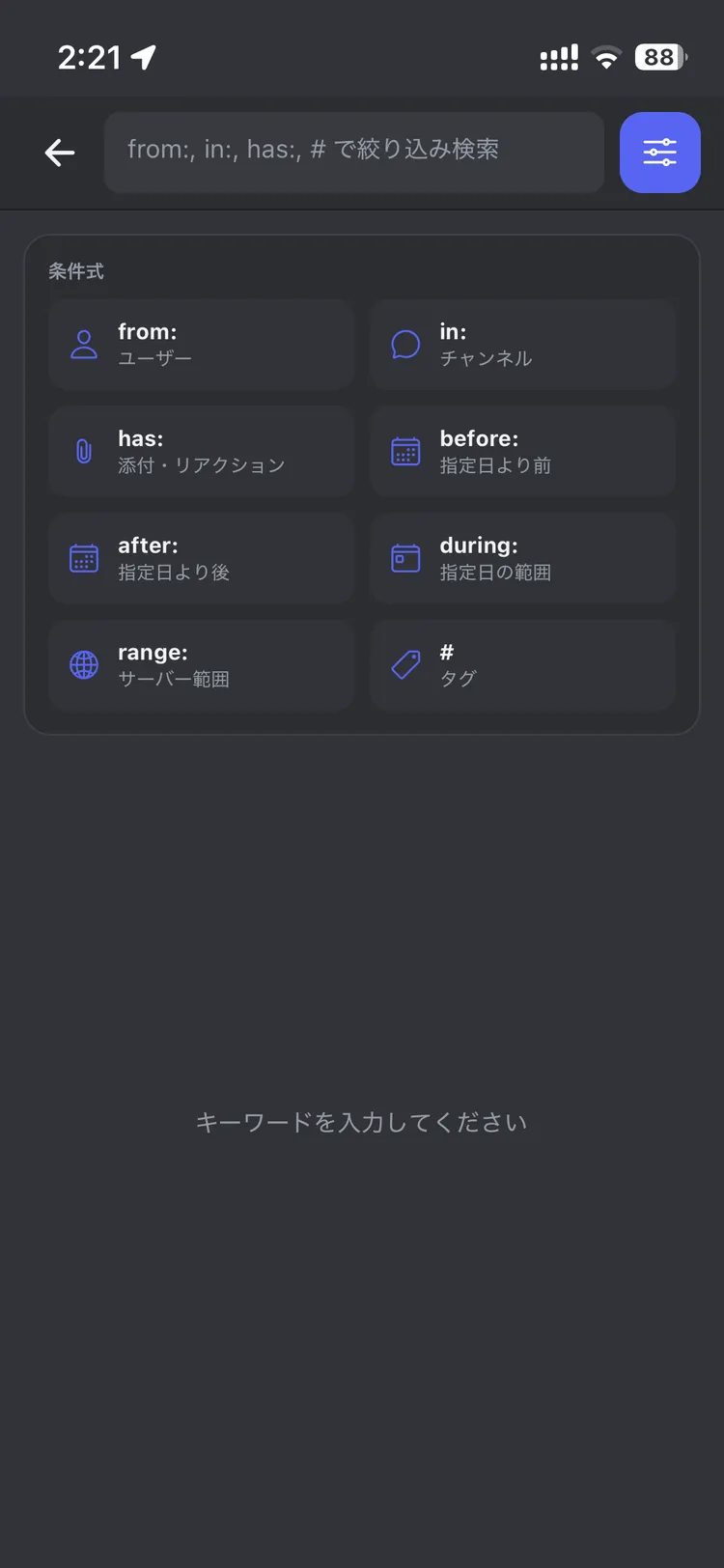
Chat-style notes can get lost in the flow. Solocord brings you back to past notes with tags, full-text search, pins, and message links.
✓Add tags to bring related notes together
✓Search text and tags across channels
✓Pin important notes and connect related ones with message links
Solo or duet.
Write a note on your phone, then pick it up on your PC. Sync between all supported platforms.
Sync method
Connect devices with a QR code.
Pair with a QR code and transfer notes directly between devices over P2P. Setup is the simplest of the three: just scan a QR code.
Easy cloud sync.
Sign in with your Google account and save sync data to your own Drive. The devices do not have to be online at the same time.
Fast, tricky, powerful.
Run a Solosync sync server on a server with PHP and MariaDB. Performance depends on your server, but it is faster than Drive. You can also add server-side plugins, which might even make apps that need a persistent connection to external services possible.
Solosync
Move your notes
from Discord
Already using Discord as a notebook? Solocord can bring those notes with you. Invite the Bot from inside the app, export your server into Solocord format, and keep using the notes you already have.
Note: This is not an official Discord feature. The import is provided through Discord bot functionality.
Here are a few more.
Still effortless, with plenty of features.
◐
Switch themes
Light, dark, or midnight. Choose a comfortable look for your day.
↗
Message links
Connect related notes, even across different channels.
M↓
Markdown
Headings, bold text, and code. Make your notes easier to read.
↓
Backups
Export important notes and keep a copy. Back up regularly.
✓
Reactions
✅ for done, ⭐ for later. Leave a little sign you can spot.
Pricing
Completely free.
No account. No premium tier.
Every Solocord feature is available for free.
If you enjoy Solocord, you can support its development through Ko-fi or other methods.
Yes. Solocord is a free notes app. Download it from an app store or this website, or use it as a web app.
Does it work completely offline?
App notes are stored locally and can be read and written offline. Downloads and device sync require a connection. The web app needs a connection on its first load.
Do I need a Discord account?
No. Solocord is an independent notes app with a Discord-style interface. It is not an official Discord app or integration.
 Solocord